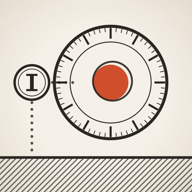
A turn-based puzzle game where your earlier actions become your helpers. Learn the goal, follow the eight video lessons, then try each control at your own pace.
Learn by watching
Eight lessons, from sliding to time control.
Start with sliding, then learn echoes, obstacles and the time controls. Choose a lesson below. Recorded in the game, one idea at a time, with captions in the language of this page.
Lesson 1 / 8
Sliding and the core
Learn where a swipe stops and how to finish a puzzle.
English demonstration and captions. Use full screen for a closer look.Download videoRead the steps
The red mark is you. Swipe on the board to move.
Swipe down: you slide until something stops you. Here, the edge of the sheet.
Swipe right: sliding over the core wins the sheet.
Preview the turns without making a move, then see how long a recorded echo stays on the board.
English demonstration and captions. Use full screen for a closer look.Download videoRead the steps
Record a move onto the plate.
Wait adds a turn without moving you.
This echo now has a two-turn recording.
Drag the timeline to preview: the echo moves if you wait.
Later, its recording ends and the echo vanishes.
Release to return. Previewing takes no move.
Now press Wait: the real turn advances.
Your first puzzles
From your first swipe to your first echo.
1
Find a way to the core
The red mark is you. Your goal is to slide into the open core. If the board has shards, you or your echoes must collect all of them first. Some cores also need a plate to be held. A red centre means the core is open.
2
Swipe to slide
Swipe up, down, left or right on the board. You keep sliding until something stops you. You stop before walls, board edges, closed doors and echoes, or directly on a notch or plate. Before swiping, look for where you will stop.
3
Take one turn at a time
You can think before every move: the game advances when you act. Every swipe and every Wait uses a turn, including a blocked swipe. Once you have echoes, they act in the order they were created, then you act. Wait keeps you in place while your echoes move.
4
Make an echo
On a puzzle that allows echoes, record a run and select Fork echo. Your actions become a recorded helper; the board resets and you begin a new run alongside it. An echo repeats your actions, not necessarily your original route. Your position and the state of doors can change where it stops.
5
Choose how to try again
Fork echo saves a new helper. Rewind clears your current run while keeping the echoes you already made. Undo reverses your last action. At the beginning of a run, Undo takes you back into the last echo’s recording so you can change it.
6
Look along the timeline
Press and drag along the Timeline to inspect earlier turns or see what would happen if you waited from now on. Release to return to the present. Previewing does not take a turn. Dotted routes also assume you wait; moving into an echo’s path can change the outcome.
7
Learn new objects as they appear
A plate holds its matching door open while someone stands on it. Light blocks movement, and bodies or closed doors can block its beam. In later puzzles, a thin floor becomes a hole when a body leaves it. Choose Watch how when a new rule appears to see it on a separate training board.
8
Retry, then explore
If you fall or run out of turns, use Undo, Rewind, or the menu’s Restart sheet. A run that ended in a fall can still become an echo if you have a slot left. From the title page, try the Daily sheet, continue in Endless mode, or open Workshop to draw, verify and share your own puzzle.
Keep this handy
What each control does.
Echo controls appear on puzzles that allow echoes. Fork echo, Rewind and Undo do different things.
Swipe
Slide in one of four directions. Swipe within the board.
Wait
Stay still for one turn while your echoes act.
Fork echo
Save the current actions as an echo and restart time.
Undo
Reverse an action, or reverse the last fork at the start of a run.
Rewind
Clear your current run and keep the recorded echoes.
Restart sheet
Start the puzzle over, clearing the current run and all echoes.
Timeline
Inspect past turns or preview waiting without taking a move.
Hints
Open help. Some puzzles also offer a free Watch how demonstration.
Read the board
The pieces you will meet.
Echo
A recorded helper that can block movement, hold plates and collect shards. It disappears on the turn after its recording ends.
Notch
A fixed stopping point on its square.
Plate
A stopping point that holds a matching switch while a body stands on it.
Shard
An item needed to open the core. You or an echo can collect it.
Thin floor
Supports a crossing, then breaks when a body leaves it.
Par
The move target across the echo recordings and your final run. Waits count too.
When something surprises you
Common questions.
Why can’t I stop halfway?
A swipe keeps going until an obstacle or stopping point stops you. Plan around walls, notches, plates and the positions of echoes.
Why did my echo disappear?
Its recording ended. Record extra Wait actions if you need it to stay in the puzzle for more turns.
Why did Rewind not make an echo?
Rewind retries your own run. Use Fork echo to save a new recording.
Why is my move total higher than this run?
The total includes the actions saved in your echo recordings as well as the final run. Wait actions also count.
Does a valid shared result prove someone played without help?
No. Replaying a result checks that the moves solve the puzzle. It cannot establish who played or whether they used outside help.
Ready to explore?
The game introduces new rules gradually. You can always return to this guide or use Watch how when a new mechanic appears.